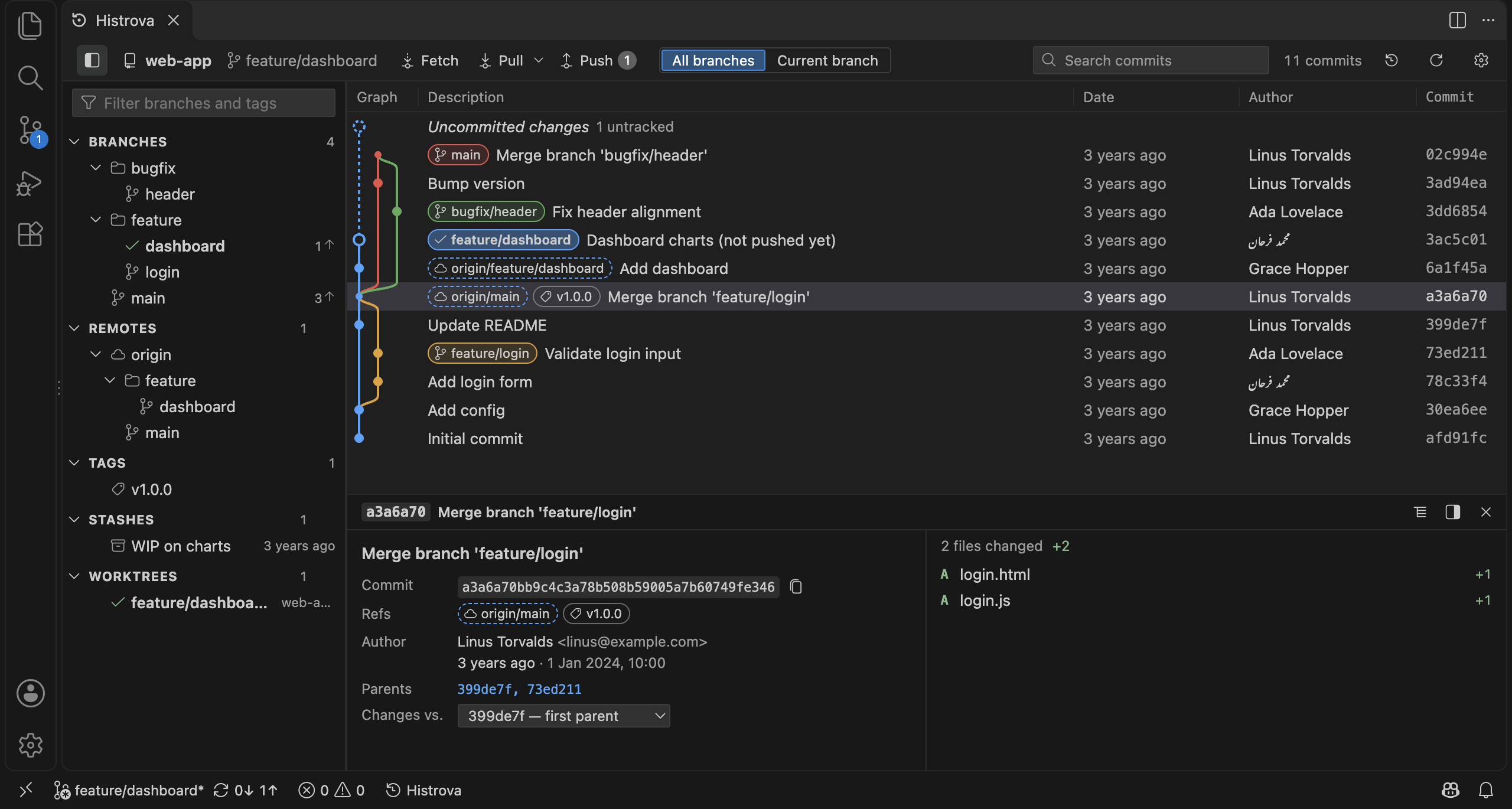
A graph you can read
Every branch, tag and remote on one graph. Smooth with 100,000 commits. Click a commit for its files and diffs.
 Histrova
Beta
Histrova
Beta
Histrova is a fast Git graph with one-click history editing, an Undo button for everything, and a side-by-side conflict solver. Right inside VS Code.
In beta. Thanks for trying it!
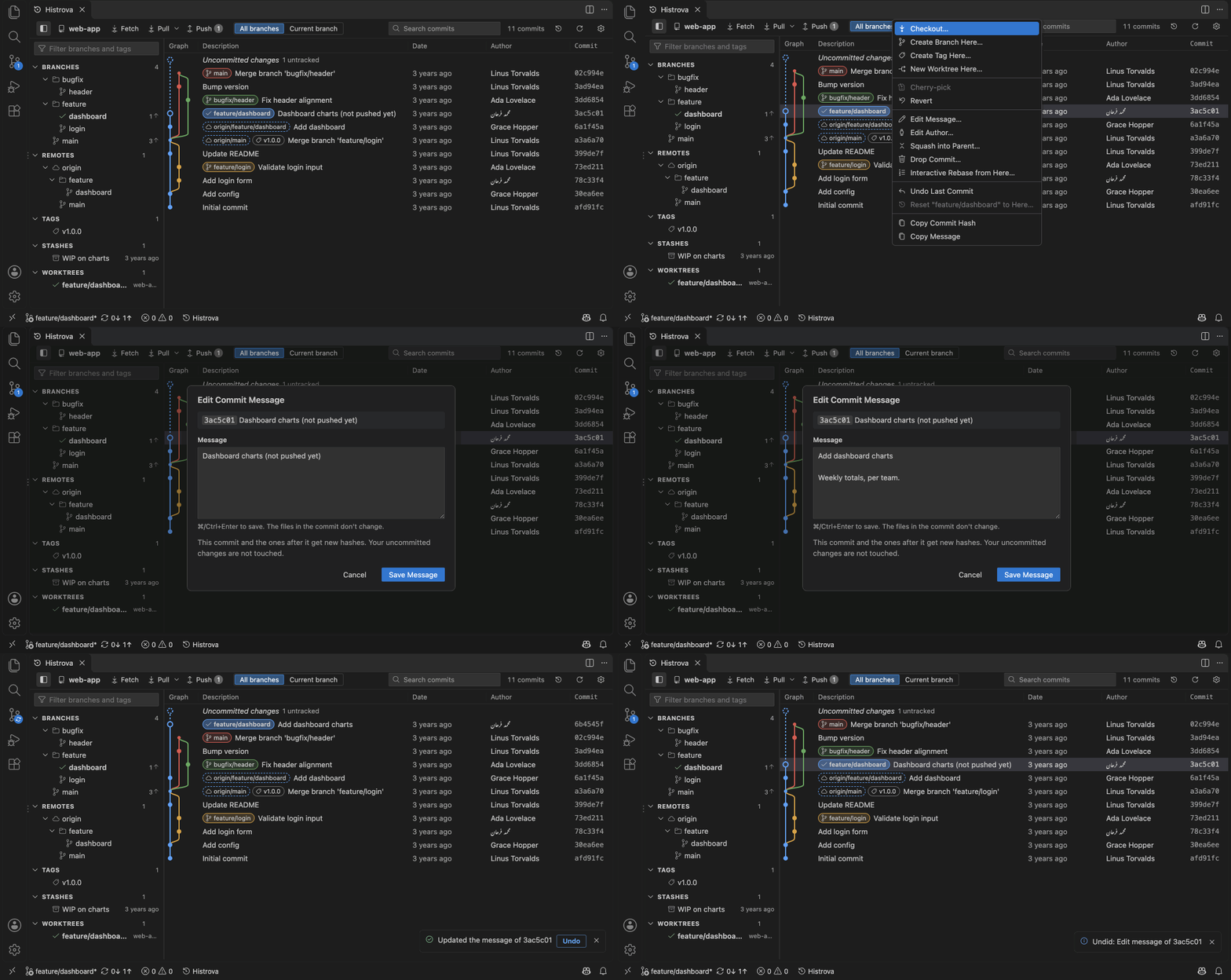
Every branch, tag and remote on one graph. Smooth with 100,000 commits. Click a commit for its files and diffs.
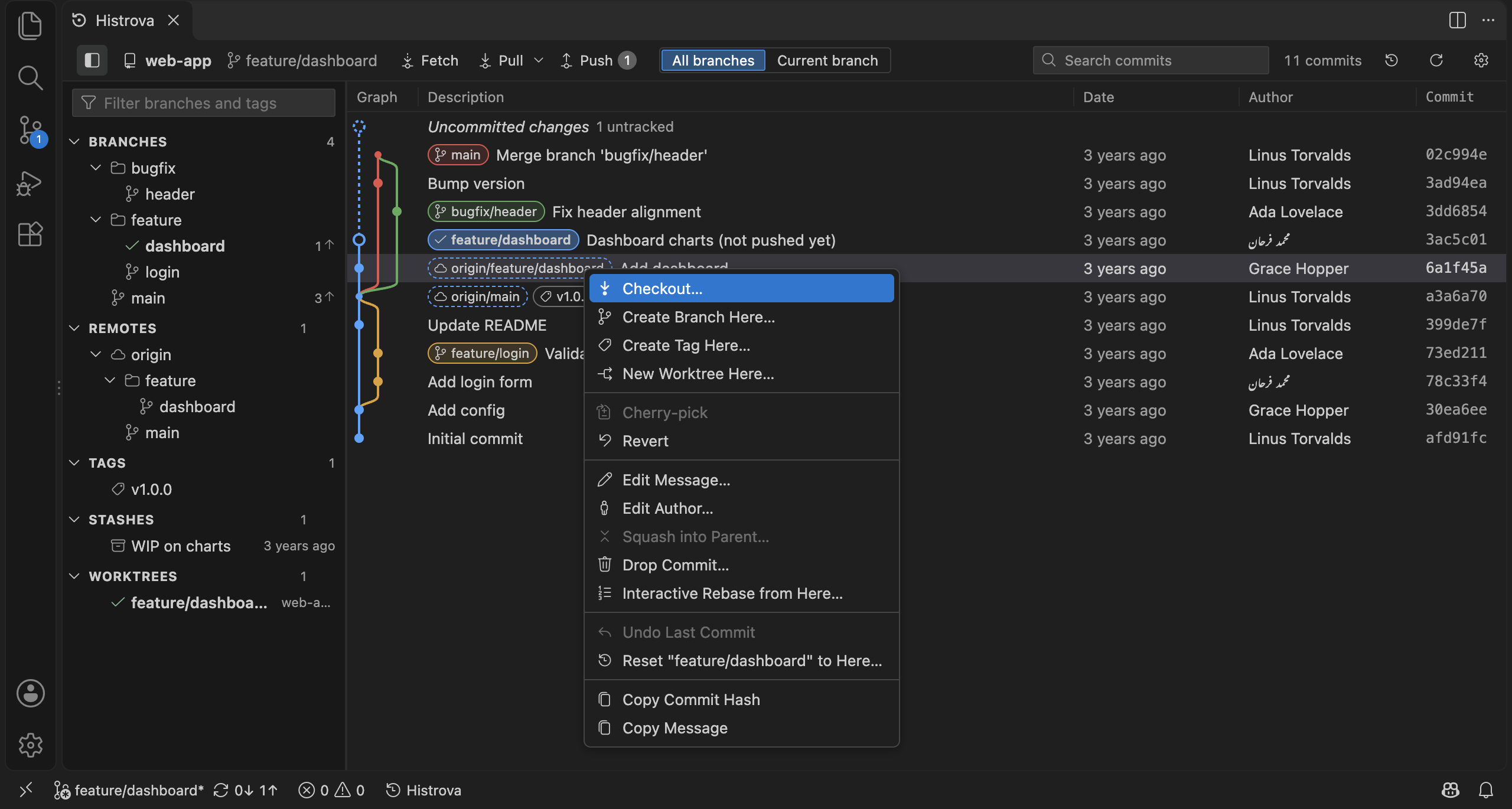
Reword or change the author of any commit, squash, drop, reorder: right-click, done. No rebase to babysit.
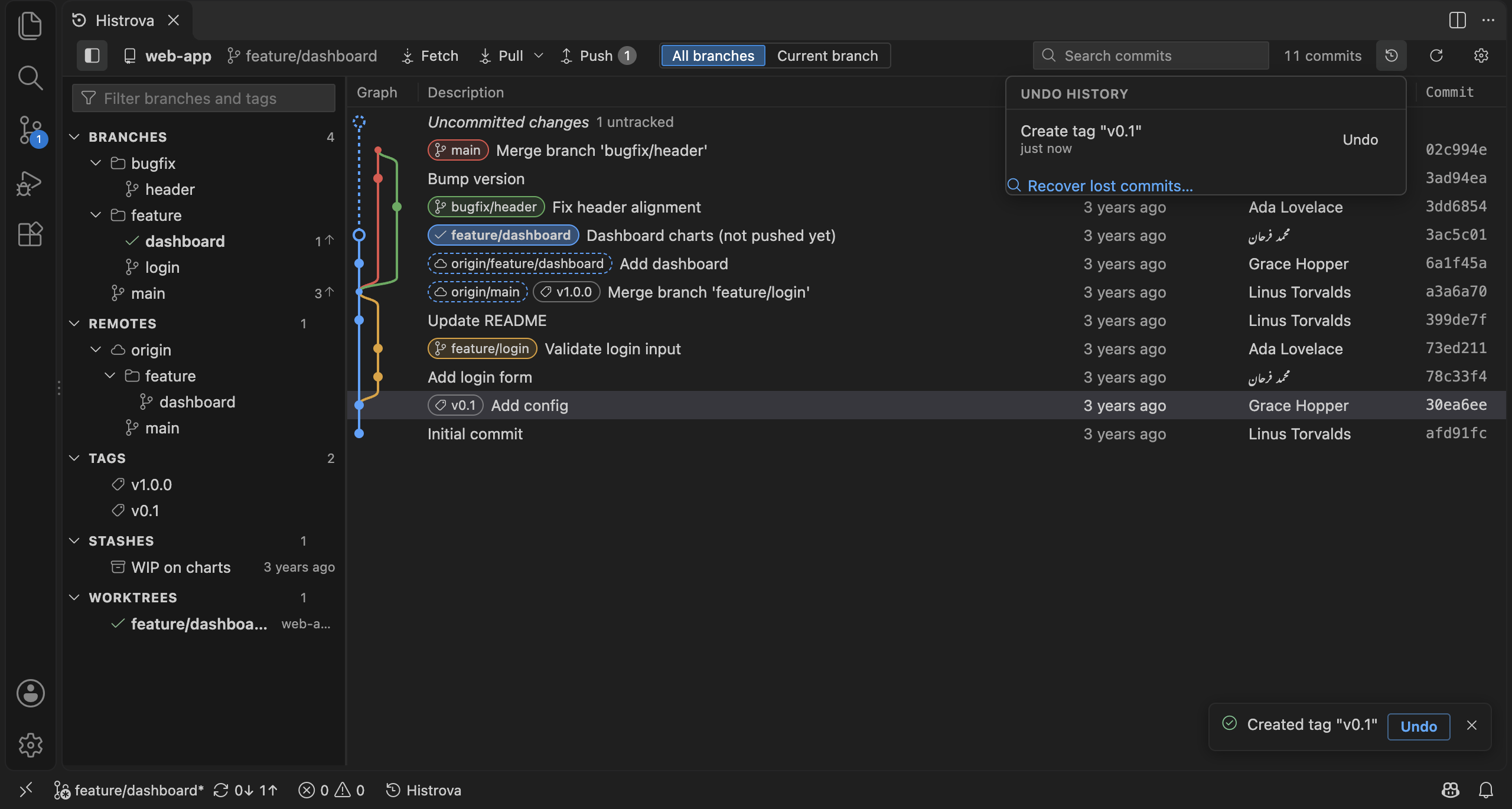
Every action has an Undo button, even a hard reset that threw away your uncommitted work.
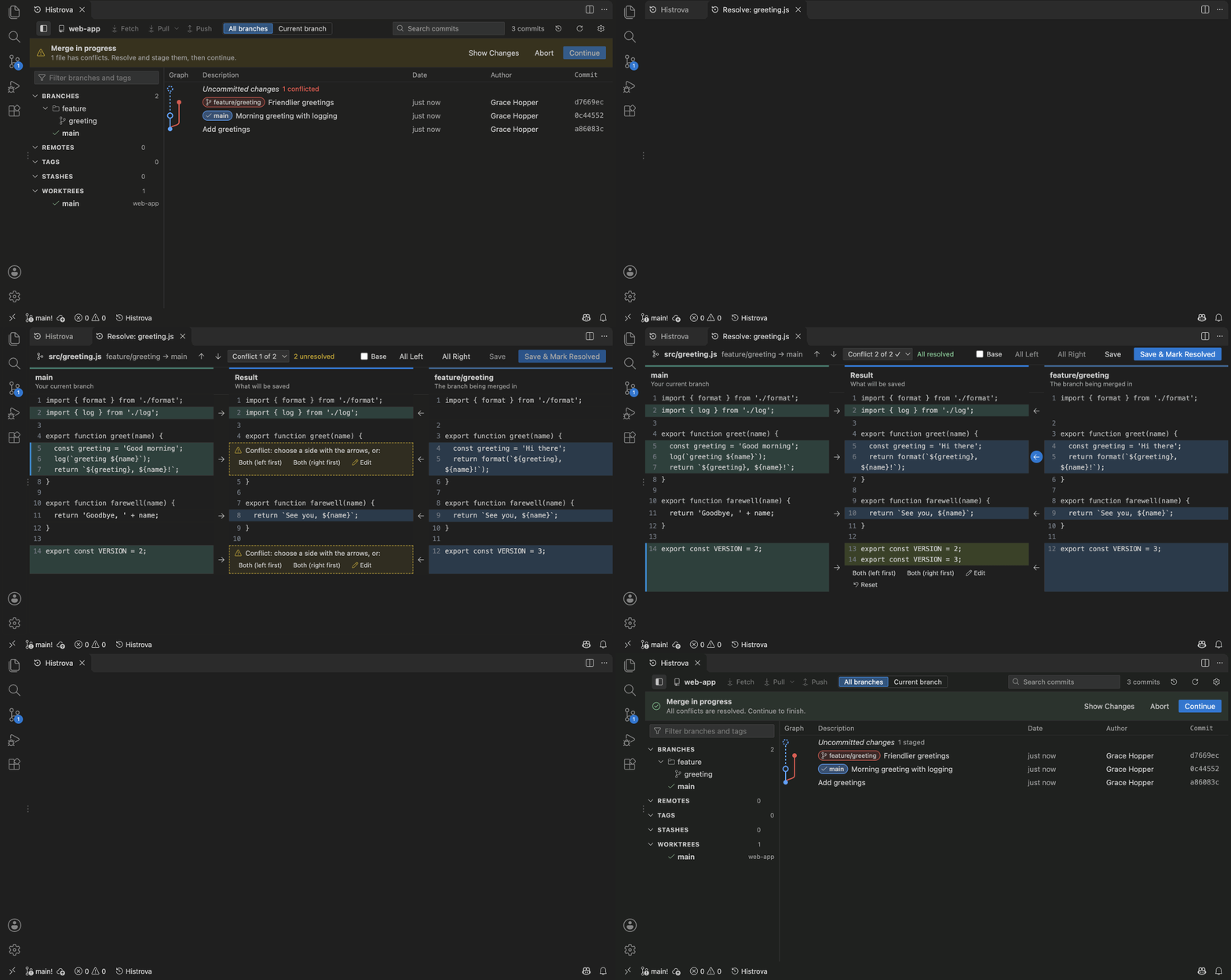
Your side, theirs, and the result. Take a side in one click; the easy parts are done for you.
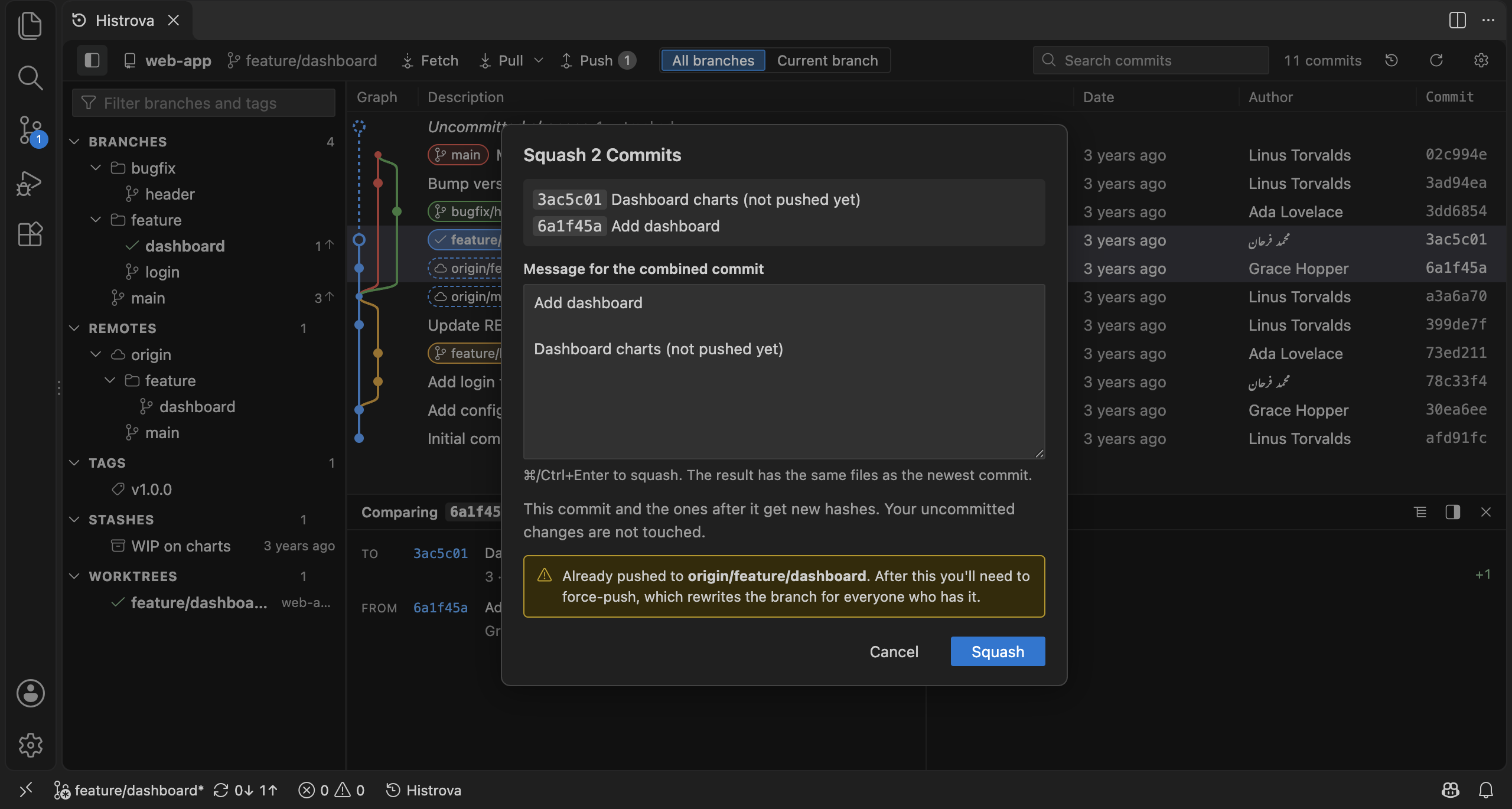
Pick exactly which lines go into a commit. Stash, cherry-pick, worktrees, blame and file history too.
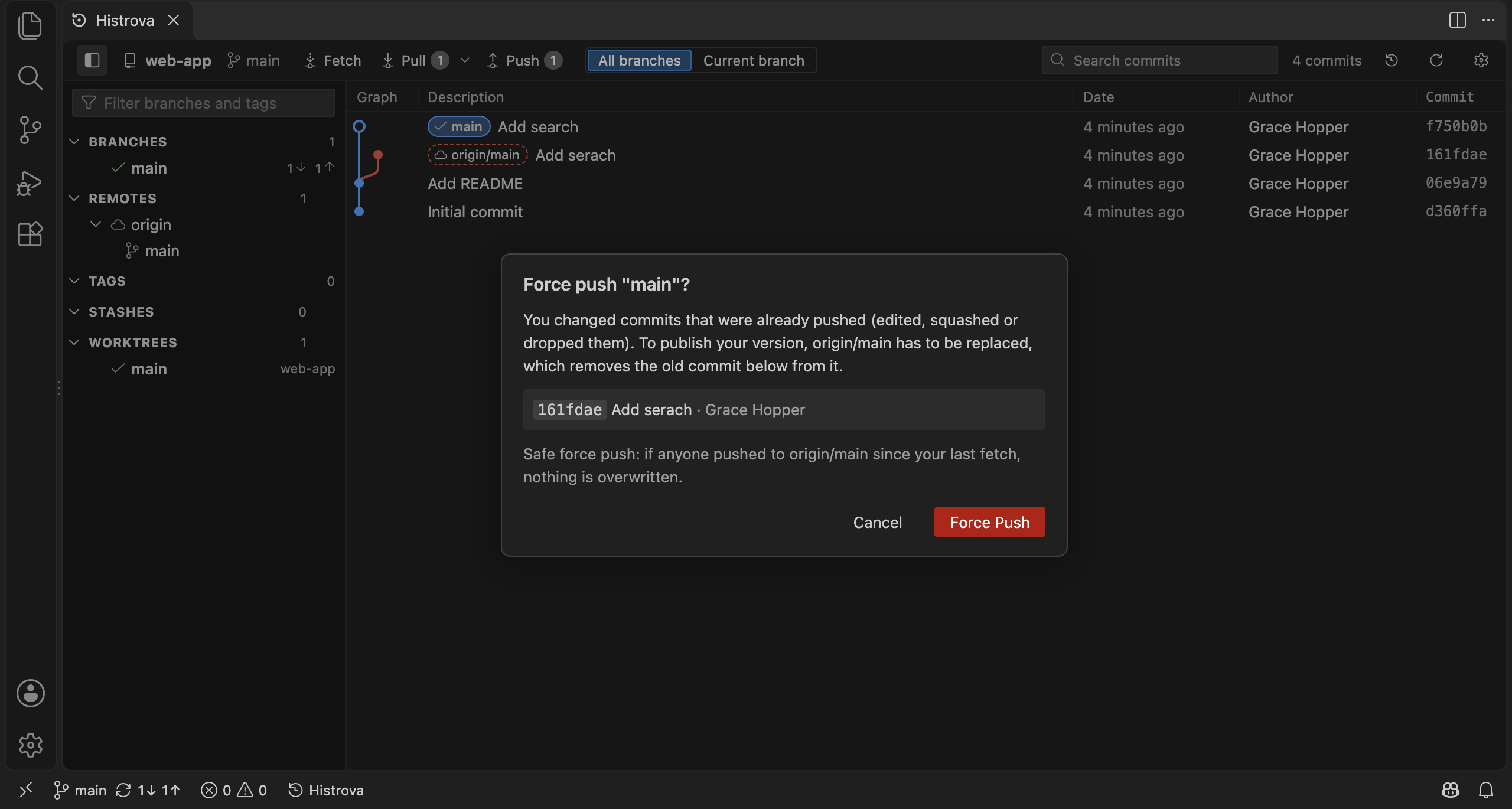
With plain-language errors, sign-in prompts that don't hang, and a safe force push when you need one.
You need Git 2.30 or newer.
VS Code 1.95 or newer
Install from the MarketplaceOr open the Extensions view (⇧⌘X / Ctrl+Shift+X), search Histrova and click Install.
Open a folder with a Git repository, then click Histrova in the status bar, or run Histrova: Show Git Graph (⇧⌘P / Ctrl+Shift+P).
Click a commit to see what changed. Right-click a commit, branch or tag for everything you can do with it.
Click Uncommitted changes at the top of the graph: stage files (or single lines), write a message, commit.
Made a mistake? Click Undo on the notice, or the Undo history button in the toolbar.
What did you use most? What confused you? What's missing? Every answer helps.
Send feedbackIn VS Code: Histrova: Send Feedback. Bugs and ideas: GitHub issues.